


Pinkfong Baby Shark: Kid Games
The Pinkfong Company
Pinkfong Baby Shark: Kid Games is the kind of children’s education app that can look effortless from the outside: bright characters, familiar songs, animated videos, and simple activities designed around early learning. After spending time with it, I found that the real question is not whether a young child will recognize the Baby Shark world—they almost certainly will—but whether the app fits the way your family handles screen time, purchases, repetition, and occasional setup friction.
My overall impression is positive for preschoolers who learn well through music and short visual activities. It is free to start, aimed at Everyone, and comes from The Pinkfong Company, a developer that clearly understands how to make content immediately approachable for very young viewers. At the same time, this is not a quiet, open-ended learning environment. It is colorful, energetic, and built around a character children may want to watch repeatedly. Parents who want a tightly controlled, low-stimulation educational tool may prefer something more restrained.
What the app feels like in everyday use
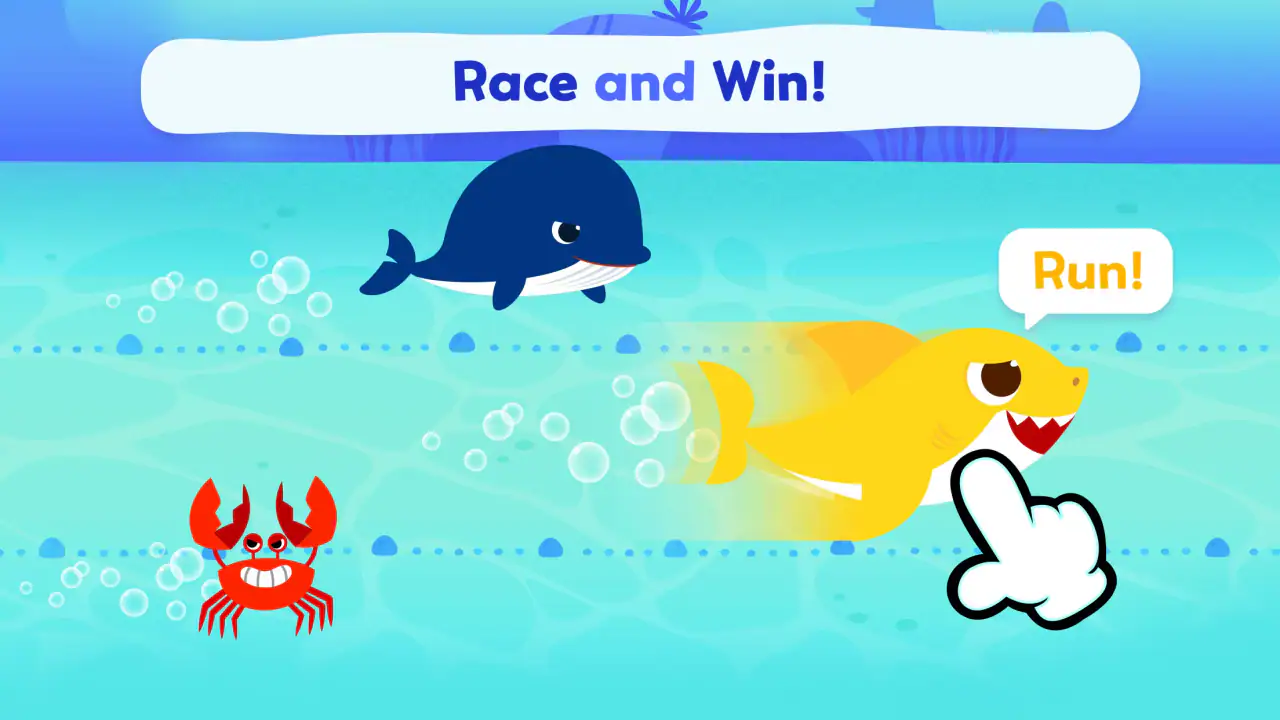
The app combines animated content connected with Baby Shark and Bebefinn with games intended for children’s learning. That combination matters because it gives a child more than one way to engage: a video can provide a familiar starting point, while an activity can turn passive watching into a small task. I would describe it as an early-learning companion rather than a complete preschool curriculum.
In my experience, the strongest use case is a short, supervised session. A child might use it while a parent prepares breakfast, during a quiet transition before leaving home, or after a simple learning activity such as naming colors, objects, or sounds. The app works best when an adult treats it as one part of the routine instead of handing over the device with the expectation that it will manage the entire session.
The familiar music is both a strength and a limitation. Recognition helps a young child understand the tone of the app quickly, and repetition can support participation. However, the same songs and characters may become distracting for children who need calm concentration. If your child already asks for Baby Shark constantly, this app may make that interest more engaging, but it may also make it harder to move on to a different activity.
Latest News

Uber Eats Under Pressure: What Happens When Delivery Goes Wrong

How QR & Barcode Scanner Adapts to Android and iOS Innovations

Why Waze Navigation & Live Traffic Is Your Essential Travel Companion

CapCut Mastery: Unleash Hidden Features for Pro-Level Editing

How OS Updates Enhance Roblox Adventures

Teacher Simulator: Exam Time Turns Quick Classroom Judgments into a Repetitive Loop
One useful approach is to decide the purpose before opening it. If the goal is a brief movement break, the animated material may be a good fit. If the goal is focused practice, I would sit with the child and talk about what appears on screen rather than letting the app run continuously. Asking a simple follow-up question—such as what the character did, which item appeared, or what sound was heard—turns familiar entertainment into a more active learning moment.
Where families commonly get stuck
The first point of friction is often not the learning content but the transition into it. Young children are impatient with loading screens, unfamiliar menus, or an adult pausing to check a purchase prompt. If the app is being opened for the first time while a child is already waiting, the experience can feel more complicated than expected.
I recommend opening it once without the child present. Look through the opening screens, identify where the main videos and activities are located, and make sure you understand which parts are immediately available. This small preparation step prevents the common situation in which a child taps randomly while an adult tries to work out what has happened.
Gallery
Another sticking point is expectation. The store presentation makes the app sound like a broad collection of educational entertainment, but a parent should not assume every activity will suit every age or attention span. A child who enjoys animated repetition may settle quickly, while another may lose interest if an activity requires more patience than the surrounding videos.
There can also be confusion around free access and optional purchases. The app itself is free, but in-app purchases range from $4.99 to $107.88 per item. That is a wide range, so I would not let a child explore purchase-related screens alone. The practical habit is simple: an adult should handle any decision involving payment, and the child should be shown only the content you are comfortable making available.
Setup checks that save time later
Before relying on the app during travel, a waiting-room visit, or a busy morning, I would check it at home under ordinary conditions. Confirm that the device runs Android 6.0 or later, then open the app and test the exact route your child will use. A device can meet the operating-system requirement and still feel awkward if storage is tight, the screen is small, or several other apps are competing for attention.
I would also check audio before handing over the device. Baby Shark content depends heavily on sound, and a muted device can make the experience seem broken even when everything is working. If you use headphones, test the volume yourself first. Preschool children should not be left to solve an audio problem by repeatedly increasing the volume.
A second useful check is the touch response. Young children often tap quickly, press near the edges, or use several fingers at once. If the app seems to ignore a selection, try slowing down and tapping the center of the visible control. Cleaning the screen and removing a thick or poorly fitted protector can also help with general touch accuracy, without assuming that the app itself is at fault.
For families sharing one phone or tablet, I suggest creating a simple handoff routine. Put the device in the same orientation each time, open the app before giving it to the child, and keep the first activity predictable. This reduces accidental exits and makes it easier for a child to recognize what to do next. It is a small workflow improvement, but it matters more with preschoolers than a long explanation does.
Because the app is rated Everyone, it is positioned for a broad audience, but that label should not replace parental judgment. Age suitability is personal: some children can navigate simple activities independently, while others need an adult nearby. I would treat the age rating as a general starting point, not a promise that every screen will match your child’s developmental level.
Recovering when a session goes wrong
When an activity stops responding or a screen does not behave as expected, I start with the least disruptive fix. Wait briefly, tap once rather than repeatedly, and check whether the device is still responding elsewhere. Rapid tapping can make it difficult to tell whether the app is delayed or whether several selections have simply been queued.
If the app appears frozen, leave it and reopen it. Before doing anything more drastic, check whether other apps on the device are also slow. If several are affected, the problem may be the device rather than Pinkfong Baby Shark: Kid Games. Closing unused apps, freeing some storage, or restarting the device are sensible general steps that do not depend on a particular hidden setting.
When the problem affects only one activity, try another part of the app. This helps separate a general startup issue from a problem limited to a particular screen or piece of content. If videos work but a game does not, or the reverse, note that distinction before seeking help. A clear description is far more useful than simply saying that “the app is broken.”
Network conditions are another practical source of confusion. If content fails to appear, test the app on a stable connection and compare the result with another ordinary app. Avoid repeatedly tapping a purchase or download-related control while the connection is uncertain. That is especially important when a child is watching, because repeated attempts can create unnecessary confusion about what has been selected.
I also recommend keeping the child’s session easy to restart. Rather than trying to recover a complicated sequence, return to a familiar starting point and choose a different activity. For a preschooler, preserving a calm routine is often more valuable than proving that one particular screen can be made to work immediately.
When the app is not the cause
Parents sometimes blame the app for behavior that actually comes from the surrounding situation. A child may become restless because the session is too long, the room is noisy, the device is uncomfortable to hold, or the child is tired. Changing the activity will not always solve that. In those moments, I would stop the session instead of treating more screen content as the answer.
Device settings can create misleading symptoms too. A low battery, aggressive power saving, muted media volume, or an unstable connection can affect the experience without indicating a fault in the app. If the device is shared, another person may also have changed the volume or display settings. A quick check of the basics is more sensible than immediately reinstalling everything.
Parents should also consider whether the app is being asked to do a job it was not designed to do. It can support songs, animated learning, and simple game-like interaction, but it is not a substitute for conversation, hands-on play, drawing, reading together, or guidance from an early-years educator. If your child needs structured progress tracking, detailed teaching controls, or a calm literacy-focused environment, a different education app may be a better primary tool.
This is where comparison with usual alternatives becomes useful. Compared with a general video service, this app offers a more child-focused path through familiar Pinkfong material and activities rather than leaving a child to navigate a huge catalog. Compared with a traditional flashcard or phonics app, it is more musical and character-led, but likely less appealing to a child who prefers quiet repetition and direct practice. Compared with completely offline toys or books, it needs a device and adult preparation, yet it can be convenient when space and time are limited.
The best alternative depends on the learning goal. For independent reading practice, I would choose a dedicated literacy tool. For open-ended creativity, drawing or building activities may offer more value. For a short, familiar transition activity that combines songs with simple interaction, Pinkfong Baby Shark: Kid Games makes more sense than those alternatives.
Three practical ways to get more from it
My first tip is to use the app as a conversation prompt rather than a babysitter. Pause after a song or activity and ask the child to imitate a sound, identify an object, or explain what happened. This takes only a moment, but it changes the balance from watching to participating. It also lets you see whether the child understands the activity or is simply tapping through it.
My second tip is to separate familiar content from learning practice. Start with something the child recognizes, then move to an activity that requires a little more attention. The familiar material can lower resistance, while the second step gives the session a purpose. If the child becomes frustrated, return to a simpler activity instead of pushing through; the app is most useful when the challenge remains manageable.
My third tip is to set the stopping point before opening the app. Young children often struggle more with ending a preferred activity than beginning one. A brief warning, followed by a consistent next step such as washing hands or choosing a book, makes the transition less abrupt. The app cannot solve that routine for you, but its short, repeatable content can fit neatly into one.
A fourth trade-off is worth noting: repetition can be educational, but unlimited repetition is not automatically better. If a child wants the same song again, I would use that interest deliberately—sing along, add movements, or ask a question—rather than allowing an endless loop with no interaction. This is one of the clearest differences between simply playing content and using it well.
Performance, access, and value
The app has been available since August 31, 2016, and its current version is 52.08. It has reached over 50 million installs, which tells me it is a well-established choice rather than a new experiment. Its average rating is 3.4 from around 44 thousand ratings, alongside roughly 1.4 thousand written reviews. I read that combination as a sign of broad recognition with mixed individual experiences, not as a reason to expect perfection.
It costs nothing to install, which makes trying the basic experience straightforward. The optional purchase range deserves more attention than the word “free,” though. Families should decide in advance whether they are comfortable with paid content and keep purchasing under adult control. For me, the value is strongest when the free starting experience already matches the child’s interests; I would not pay simply because a child is temporarily bored.
The technical requirement is Android 6.0 or newer. That is helpful for families using an older spare device, but compatibility alone does not guarantee a pleasant session. A very old phone may still have a small display, limited responsiveness, or weak audio. I would test the actual device with the child’s normal grip and viewing distance before planning to depend on it.
One concern for some parents will be stimulation. The app’s recognizable songs and animated presentation are central to its appeal, but they can also make it a poor match for children who become overexcited by fast, colorful media. If your household is trying to reduce high-energy screen content, a storybook app, audio-only activity, or physical game may be a better choice even if this app technically works well.
Who should use it, and who should skip it?
I would recommend it to families with preschool-age children who already respond to Baby Shark or Bebefinn, enjoy music, and benefit from short, visually guided activities. It is particularly practical for parents who want a familiar app for brief transitions and are willing to sit nearby at least during the first sessions.
I would be more cautious if you want detailed educational measurement, a quiet interface, strong independence from adult supervision, or a single-subject learning plan. The app’s appeal comes from its characters and entertainment value, so it will not replace a focused reading, mathematics, or language-learning program.
I would also skip it if your child is likely to become distressed when a favorite video ends or repeatedly press toward paid content. In that situation, the issue is not that the app is unusable; it is that its strongest attractions may work against your family’s boundaries. A less character-driven option could be easier to manage.
My practical verdict
Pinkfong Baby Shark: Kid Games is a useful, approachable education app when you want a short session built around familiar songs, animation, and simple interaction. I like its low barrier to entry and the way a parent can turn recognizable content into a small learning conversation. I also appreciate that it can fill a specific everyday gap without pretending to be a complete replacement for play or teaching.
My reservations are equally practical. The energetic presentation will not suit every child, optional purchases require adult attention, and setup or playback problems can feel bigger when a preschooler is waiting. The app works best with a prepared device, a clear stopping routine, and a parent who chooses the activity instead of leaving navigation entirely to the child.
After using it, I would keep it available as a supervised, occasional tool rather than make it the center of a child’s learning routine. If your child loves the characters and you want a convenient bridge between music and simple educational play, it is worth trying. If you need calm, measurable, subject-specific instruction, choose a more focused alternative. The right way to use this app is as a small, purposeful part of the day—not as a substitute for the rest of a child’s learning world.
FAQs for Pinkfong Baby Shark: Kid Games
What age group is Pinkfong Baby Shark: Kid Games suitable for?
Pinkfong Baby Shark: Kid Games is designed for young children, specifically targeting the age group of 2 to 5 years old. The app features simple, engaging games that help develop early learning skills. Parents can be reassured that the content is age-appropriate, educational, and safe for young users.
Does Pinkfong Baby Shark: Kid Games require an internet connection?
While some features of Pinkfong Baby Shark: Kid Games may require an internet connection, such as downloading updates or accessing additional content, the core games and features can be played offline. This makes it convenient for use in areas without Wi-Fi or during travel.
Is there any advertising within Pinkfong Baby Shark: Kid Games?
Pinkfong Baby Shark: Kid Games may contain ads, which are typically child-friendly and relevant to the app's content. However, there is often an option to remove ads through a one-time purchase or subscription, providing an uninterrupted experience for your child.
Are there in-app purchases in Pinkfong Baby Shark: Kid Games?
Yes, Pinkfong Baby Shark: Kid Games may offer in-app purchases. These purchases often include additional game modes, songs, or other content enhancements. It's recommended to enable parental controls to prevent unauthorized purchases and ensure a secure experience for children.
How can I ensure my child's safety while using Pinkfong Baby Shark: Kid Games?
To ensure your child's safety, it is advisable to supervise their playtime and enable parental controls on your device. By doing so, you can manage in-app purchases, control screen time, and monitor content access, creating a safe and enjoyable environment for your child.
Pros
- Engaging and colorful graphics for kids.
- Wide variety of educational mini-games.
- Simple interface easy for young users.
- Encourages creativity and learning.
- Includes popular Baby Shark songs.
Cons
- In-app purchases can be costly.
- Requires parental supervision for ads.
- Limited free content available.
- May not appeal to older children.
- Requires internet for some features.


